Table of contents
Mistakes that compromise an insertion
A poor-quality architectural insertion can harm a permit application or client presentation. Here are the most frequent mistakes.
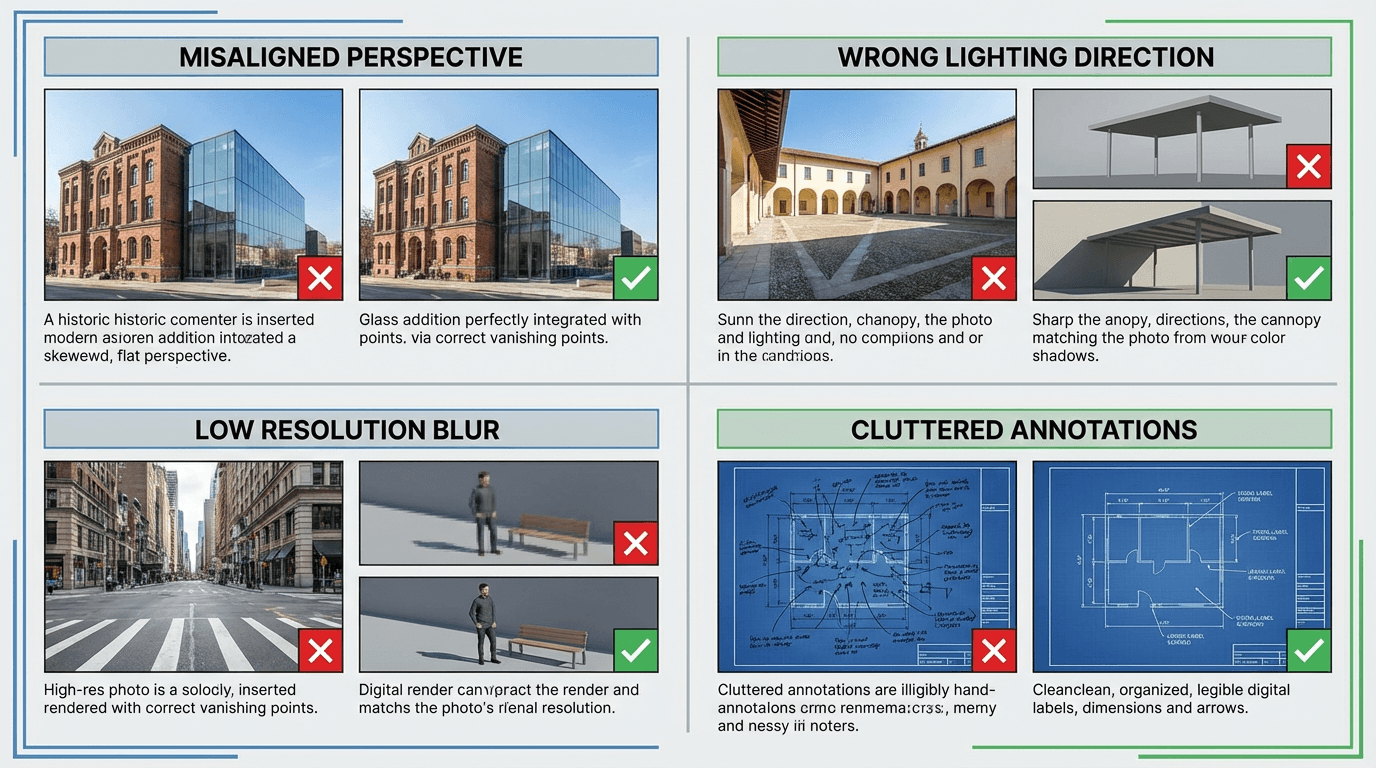
Mistake 1: inconsistent perspective
The most visible error. If the 3D render viewing angle doesn't match the site photo, the result looks artificial.
Solution: before modeling, identify the site photo angle and reproduce it in your 3D software.
Mistake 2: insufficient resolution
A low-resolution export produces a blurry insertion, unusable for printed documents.
Solution: always export at minimum 1920px wide. For large format prints, aim for 3840px or more.
Mistake 3: inconsistent lighting
A render with western sun on a morning photo produces contradictory shadows.
Solution: harmonize the light direction between your render and the photo.
Mistake 4: parasitic elements in the export
Grids, axes, dimensions, legends — these technical elements pollute the image.
Solution: clean your view before exporting. Disable all annotations.
Mistake 5: ignoring context
An insertion without real context loses all its purpose.
Solution: always provide a site photo or detailed context description.
Pre-generation checklist
- Does the render angle match the site photo?
- Is the resolution sufficient (1920px+ wide)?
- Is lighting consistent between render and photo?
- Are annotations and grids removed?
- Is the background neutral?
- Is a site photo or description provided?